
BMS · Business Management System
Invoices, stock and profit in one place.
BMS is online software for small businesses. Take orders, send invoices, track stock and warranty, record payments and see your profit, without juggling spreadsheets.
Everything the business runs on.
One workspace, connected end to end. An order reduces stock, the invoice links to it, the payment settles it and the reports update on their own.
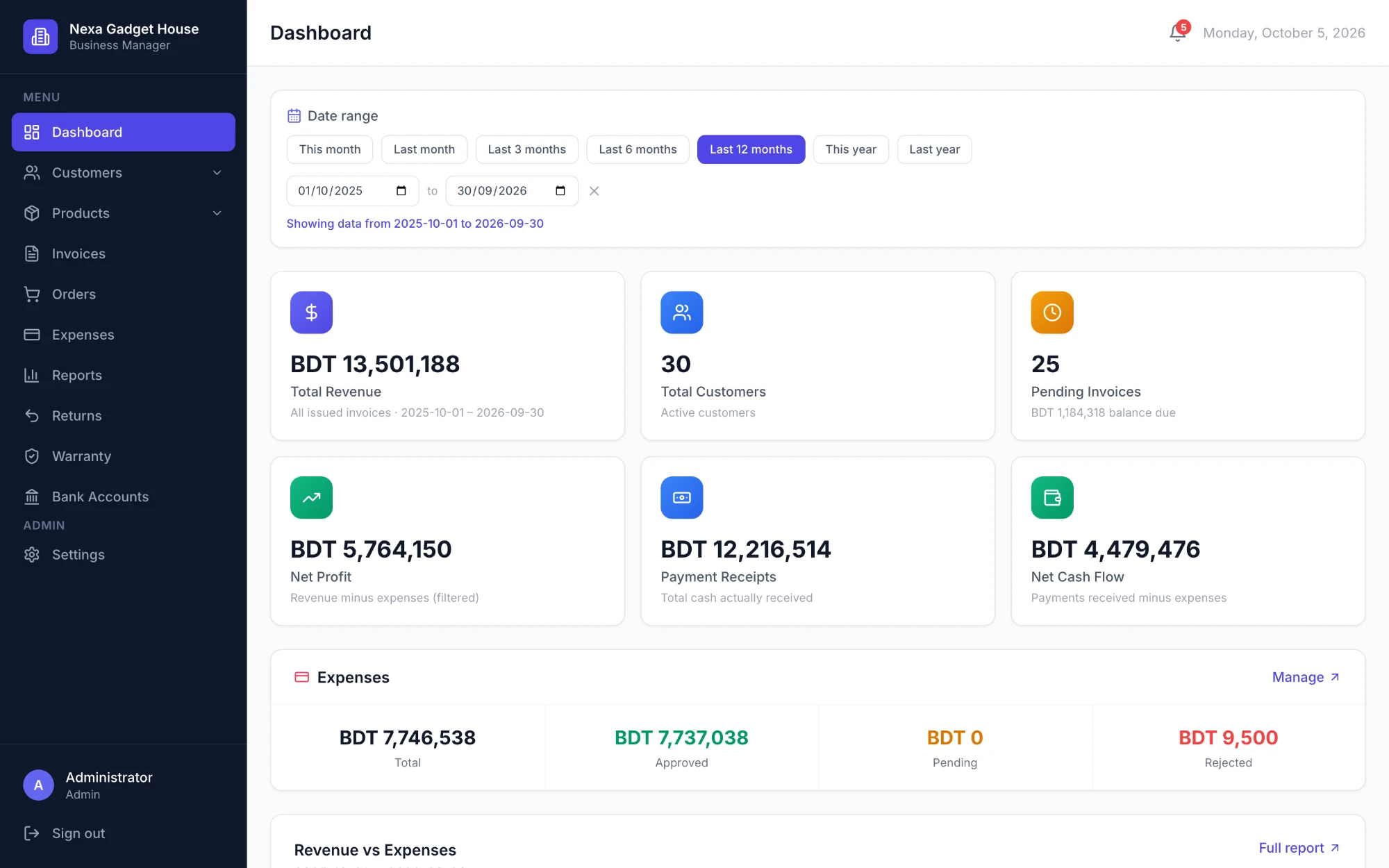
Dashboard
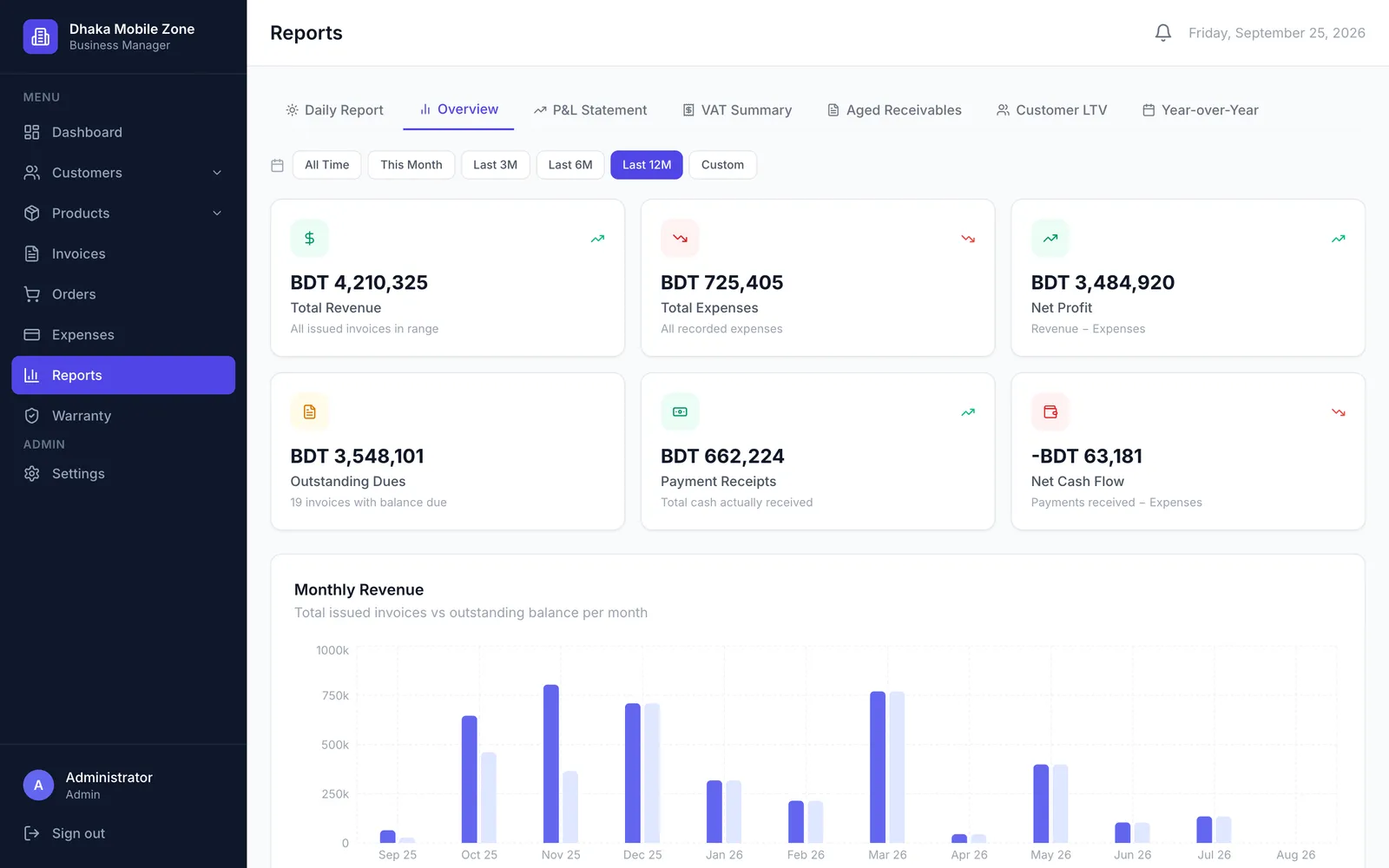
Revenue, net profit, payments received and cash flow for any date range, from this month to the last 12 months.
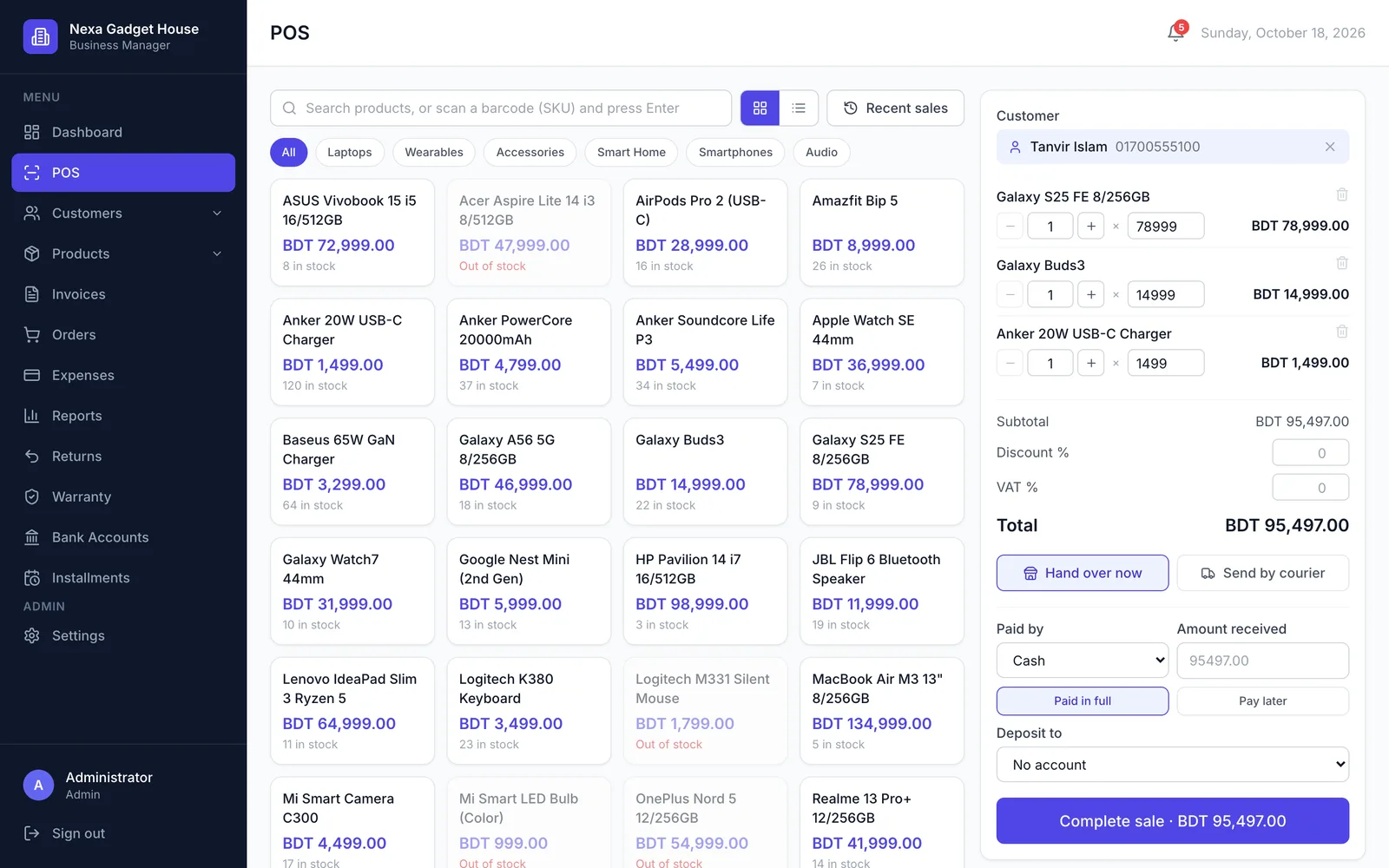
POS checkout
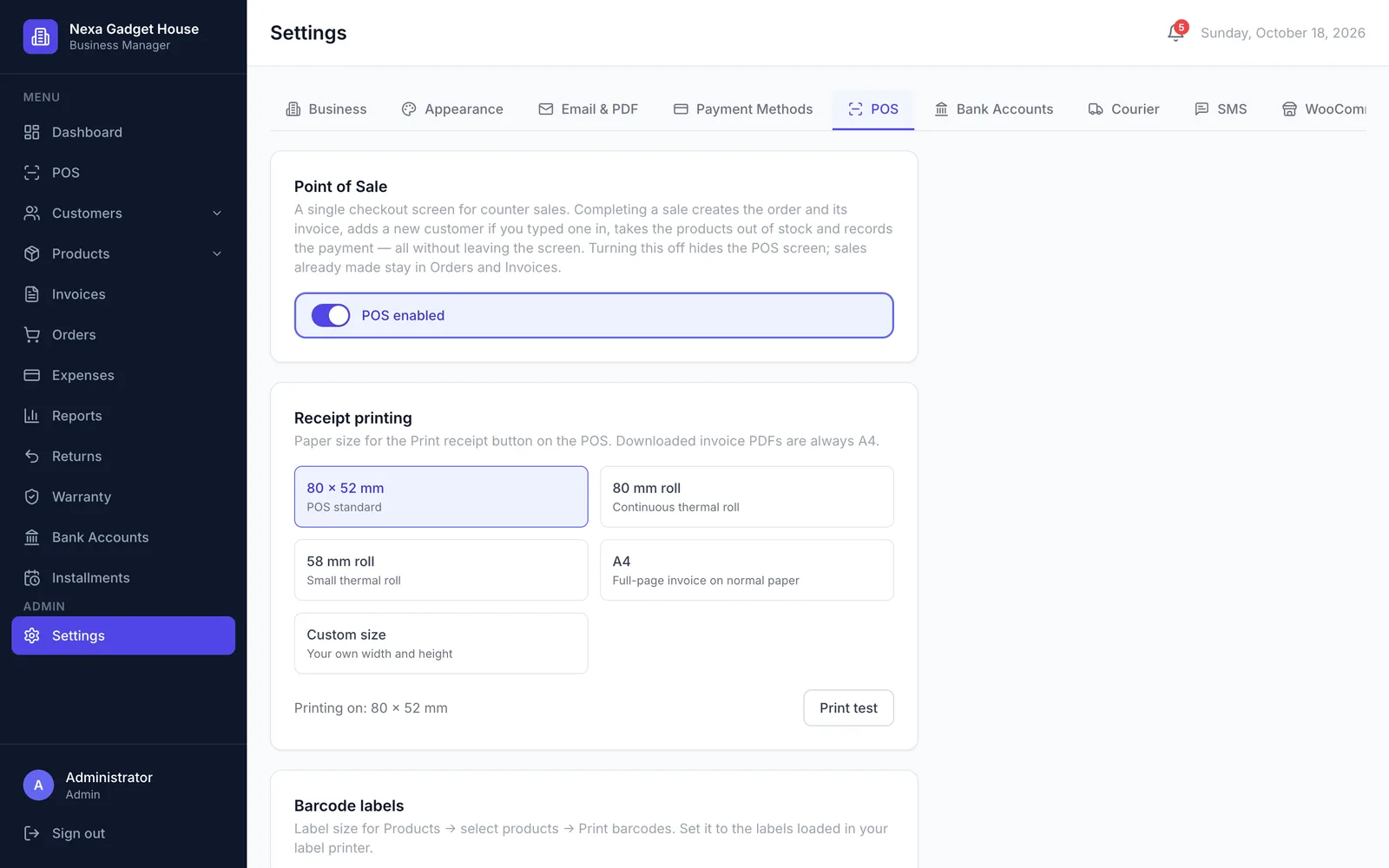
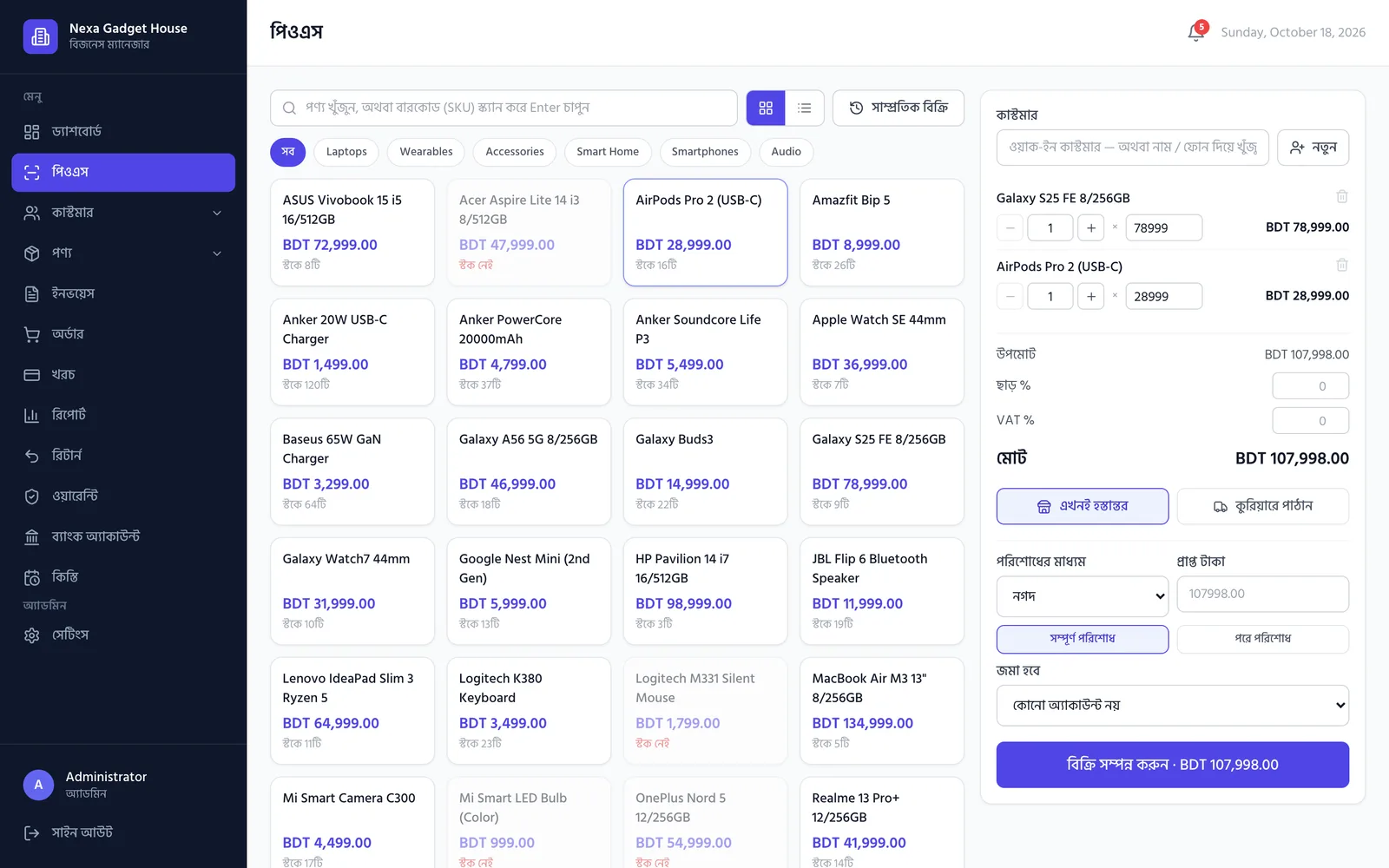
Sell at the counter in one screen. A sale creates the order, invoice, payment and new customer together, works out change and prints a receipt.
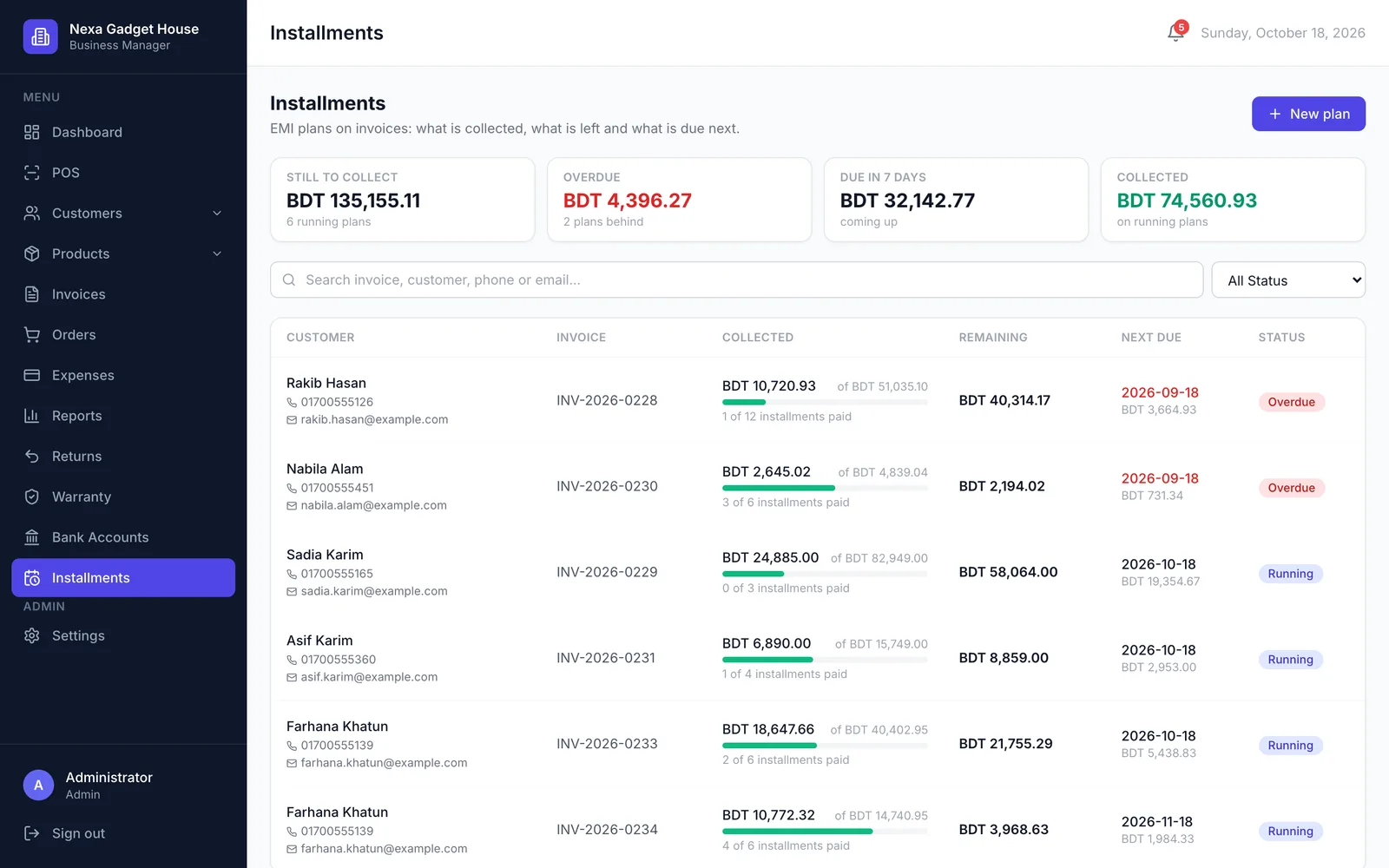
Installments (EMI)
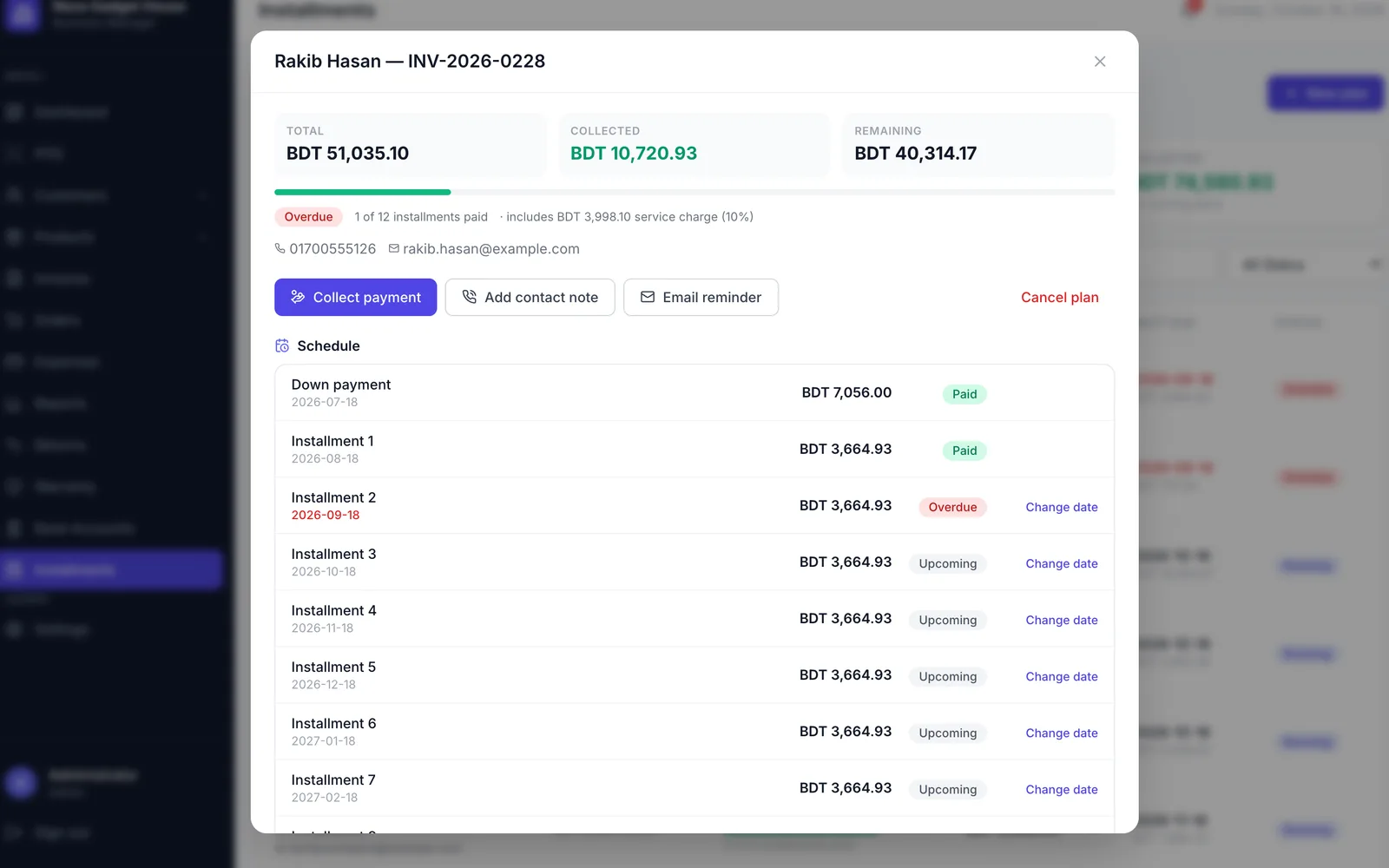
Let customers pay in monthly or weekly installments, with an optional down payment and service charge. Track every collection, see what is overdue and send reminders by email or SMS. Paid add-on.
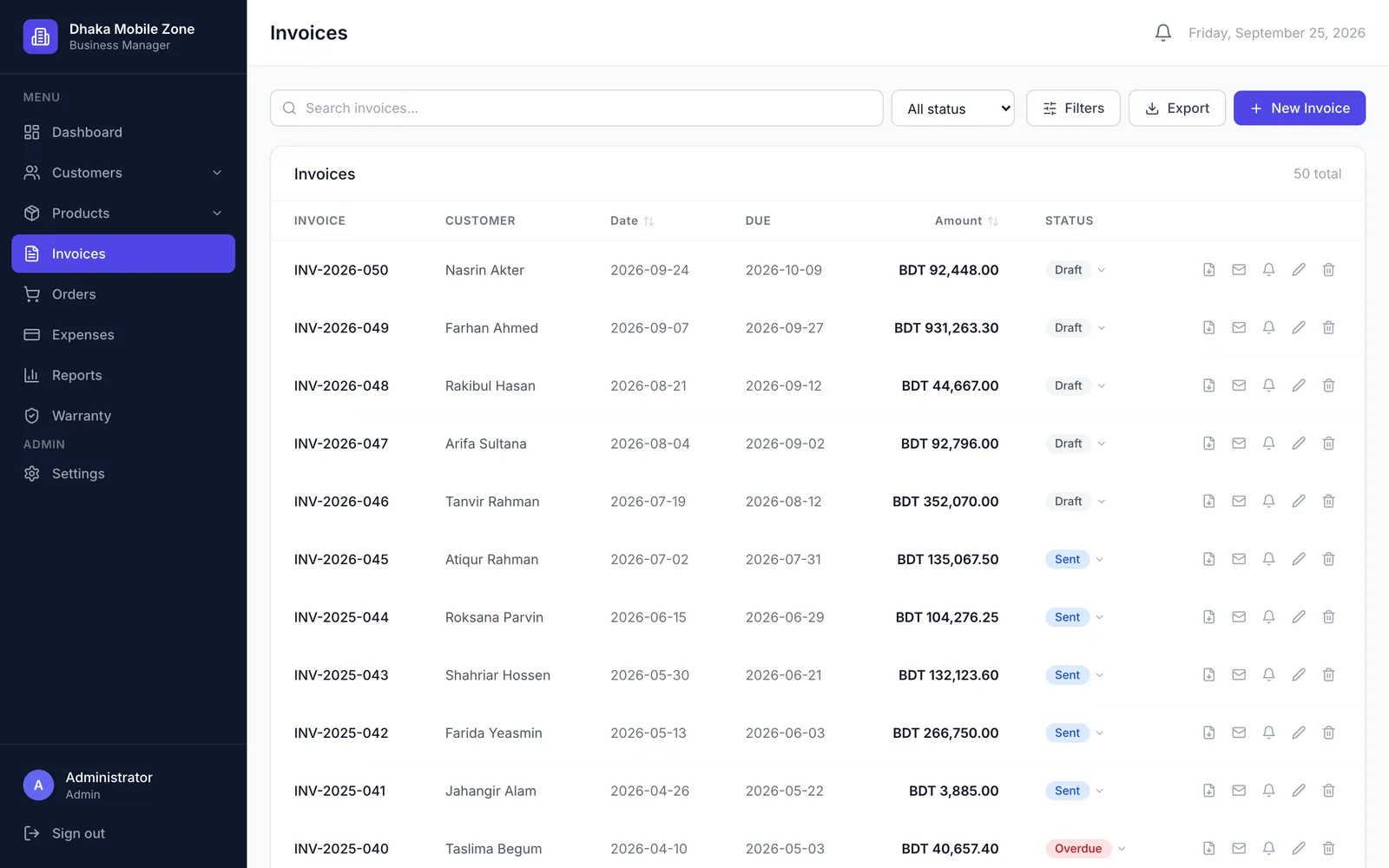
Invoices
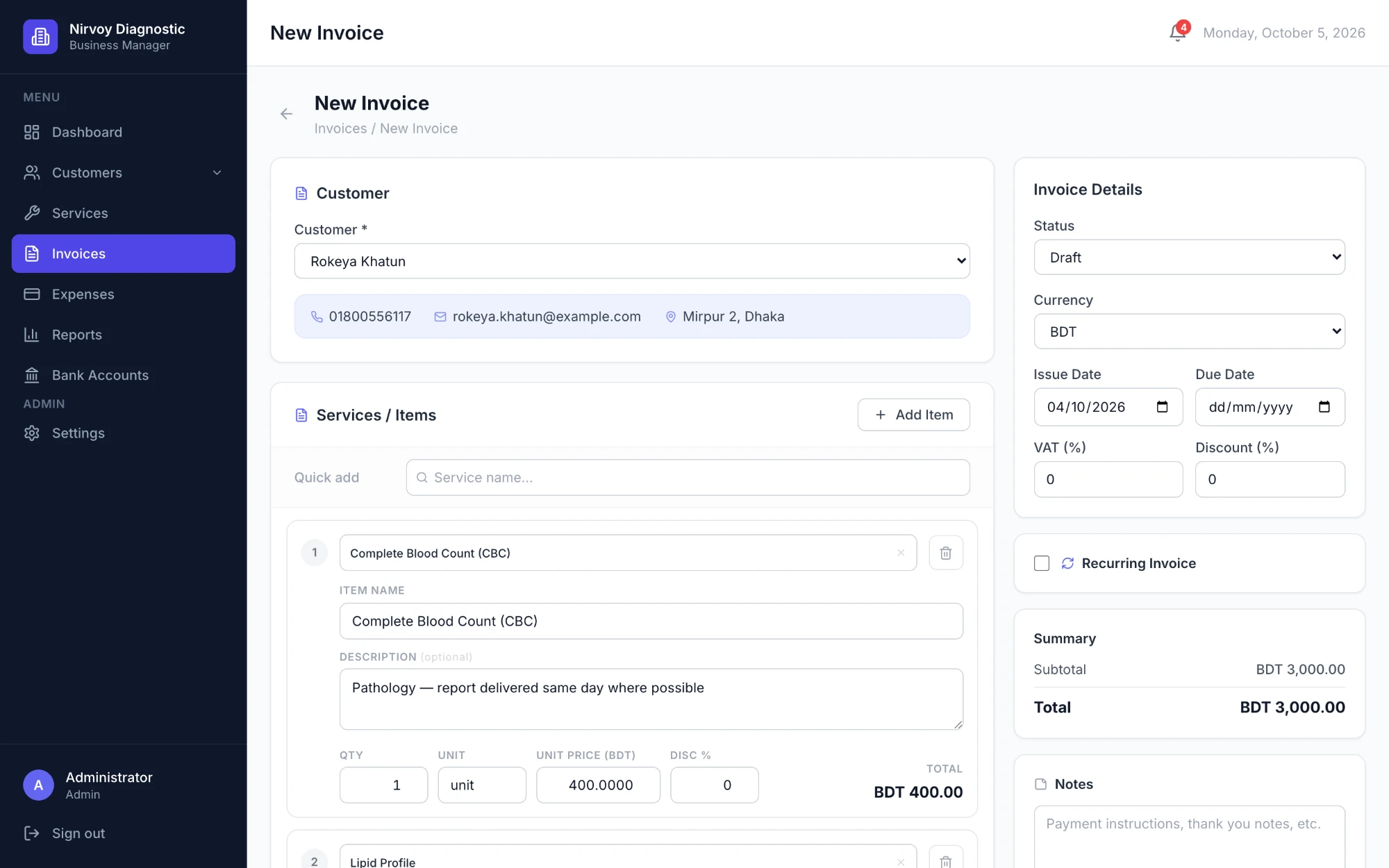
Create, edit and download invoices as PDF. Record part payments, send reminders and set up recurring invoices.
Orders & stock
Take orders with a product search, check stock before saving and reduce inventory automatically. Managers are alerted when a product drops below 5 units.
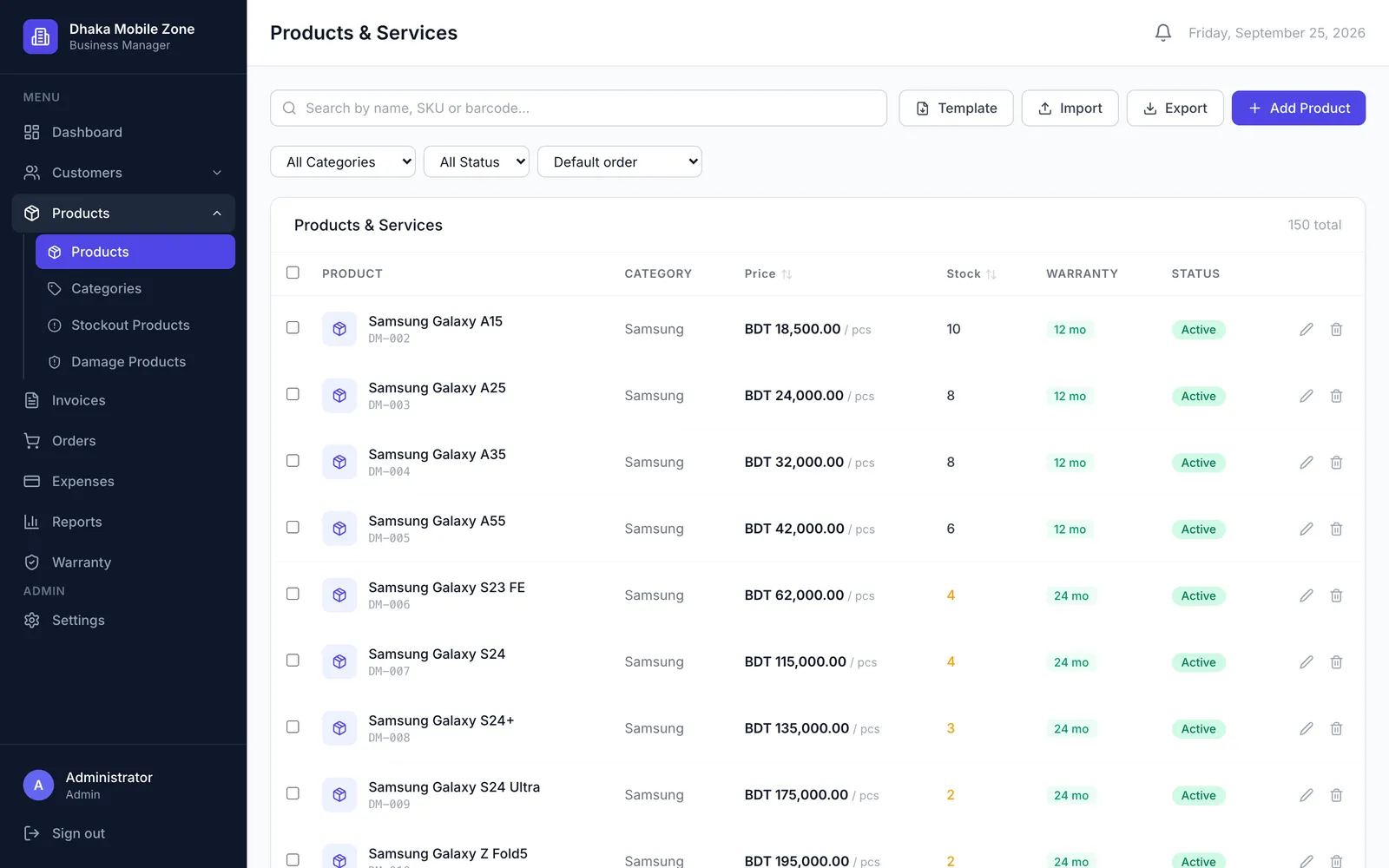
Products & services
Keep your catalogue with categories, units and stock levels, or switch to service mode if you sell work, not goods. Import and export both by CSV.
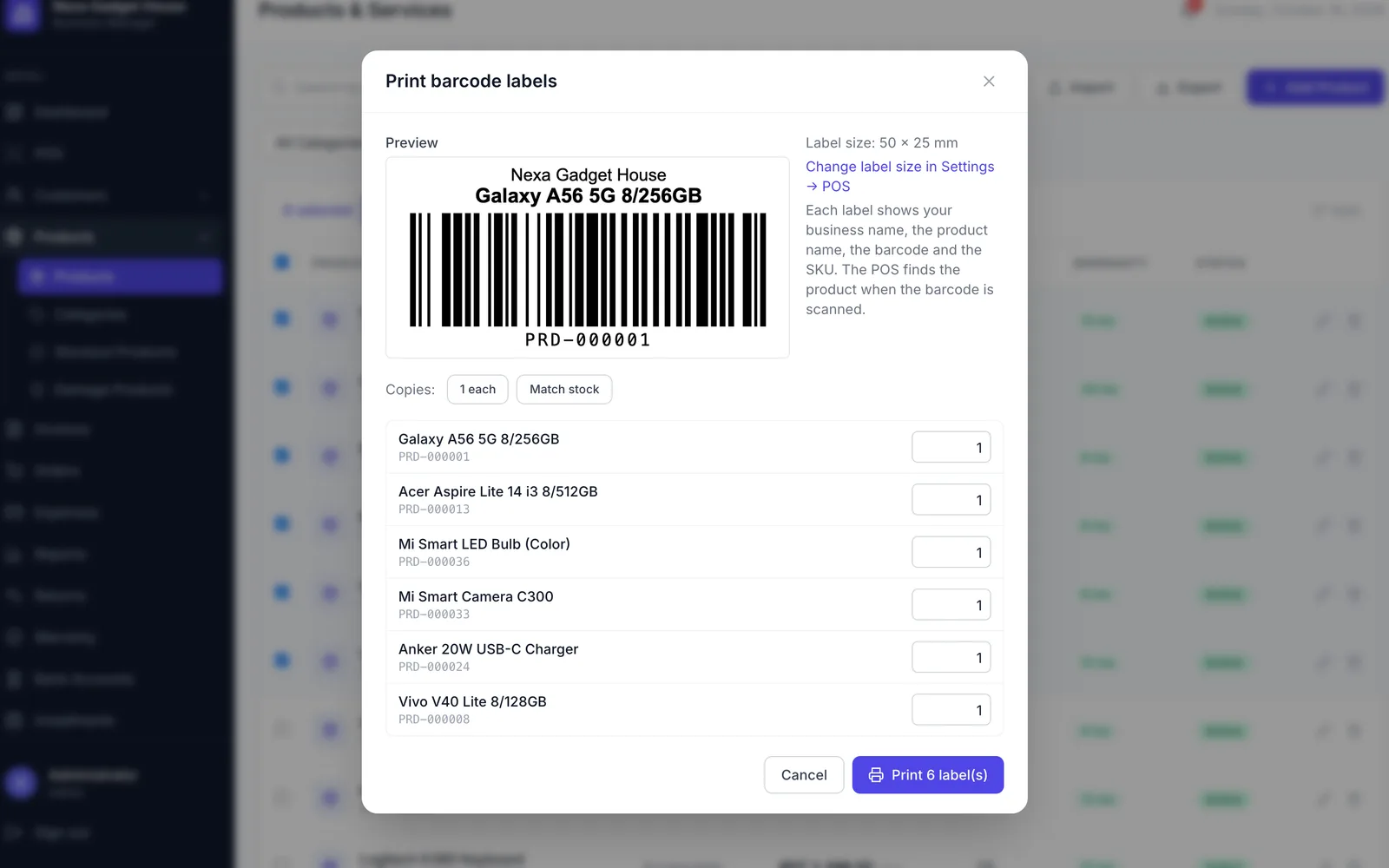
Barcode labels & scanning
Print barcode labels for any products, then scan them at the POS with a USB or Bluetooth scanner, or pair a phone as the scanner.
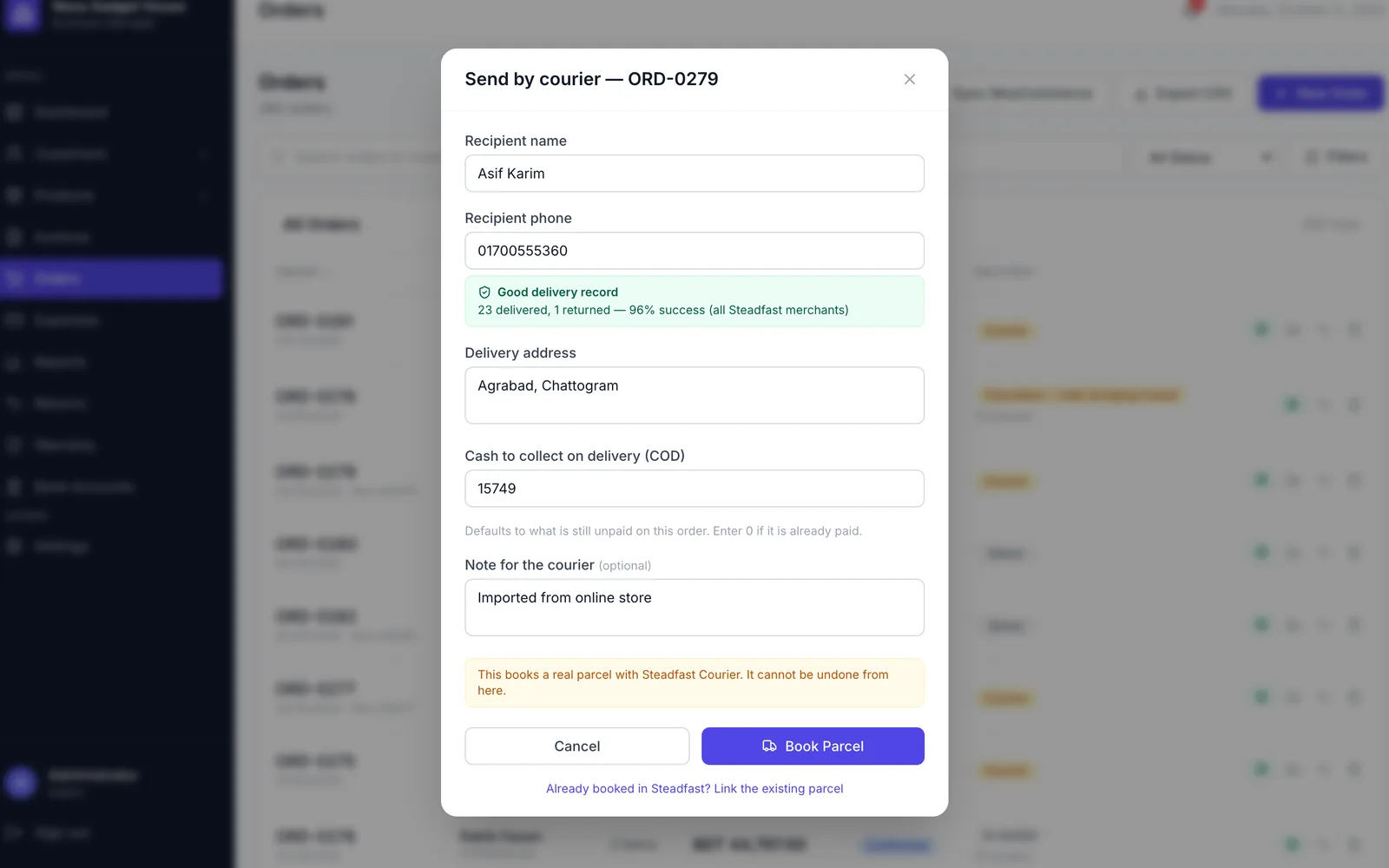
Courier delivery
Book parcels with Steadfast from the order, track their status and record cash on delivery on the invoice when the parcel arrives.
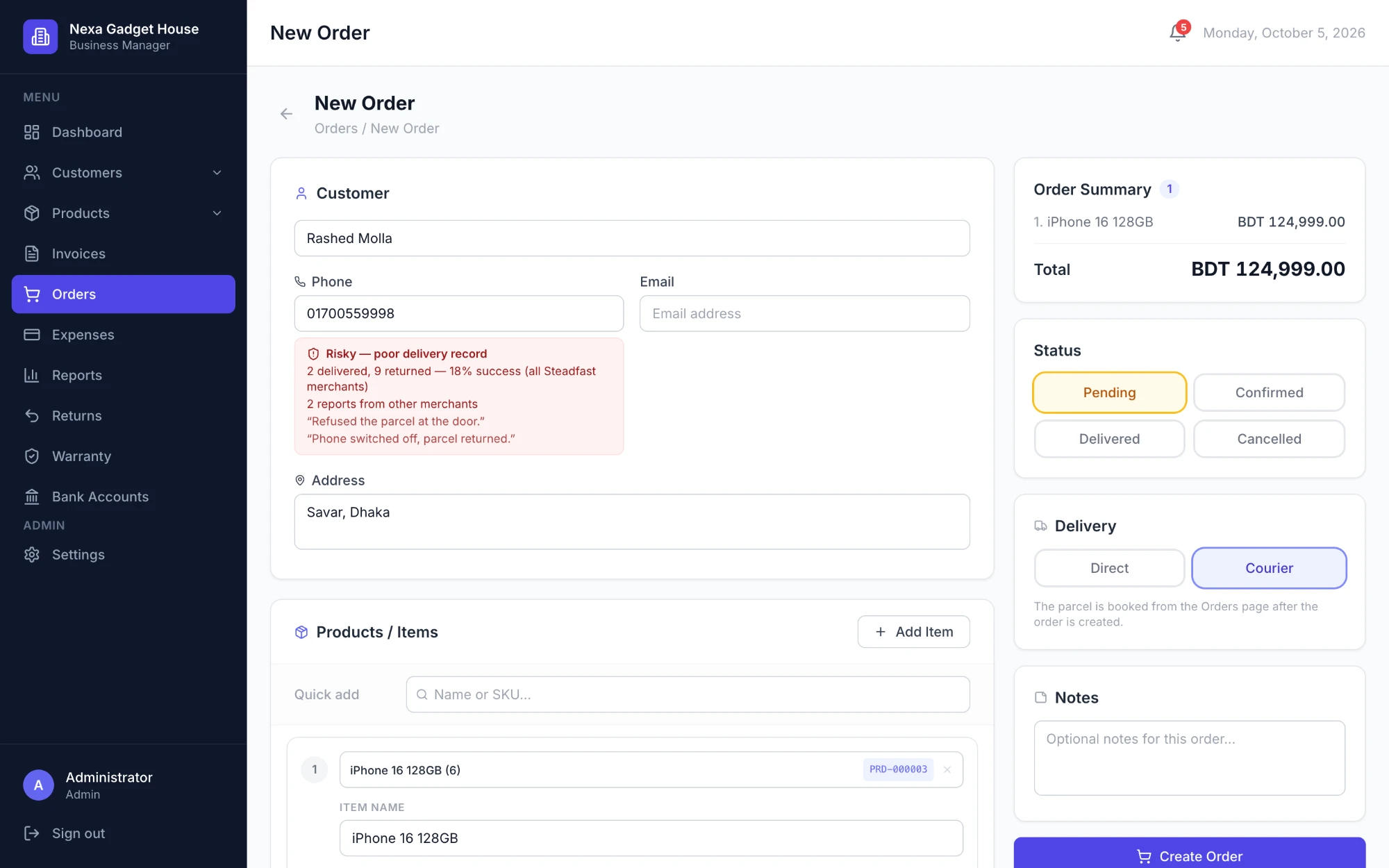
Courier risk check
Enter a customer's phone number on a new order or at the POS and see their courier delivery record, so you can spot risky orders before you ship.
WooCommerce orders
Bring orders from your WooCommerce shop into BMS with one click. Customers and products are matched, and no order comes in twice.
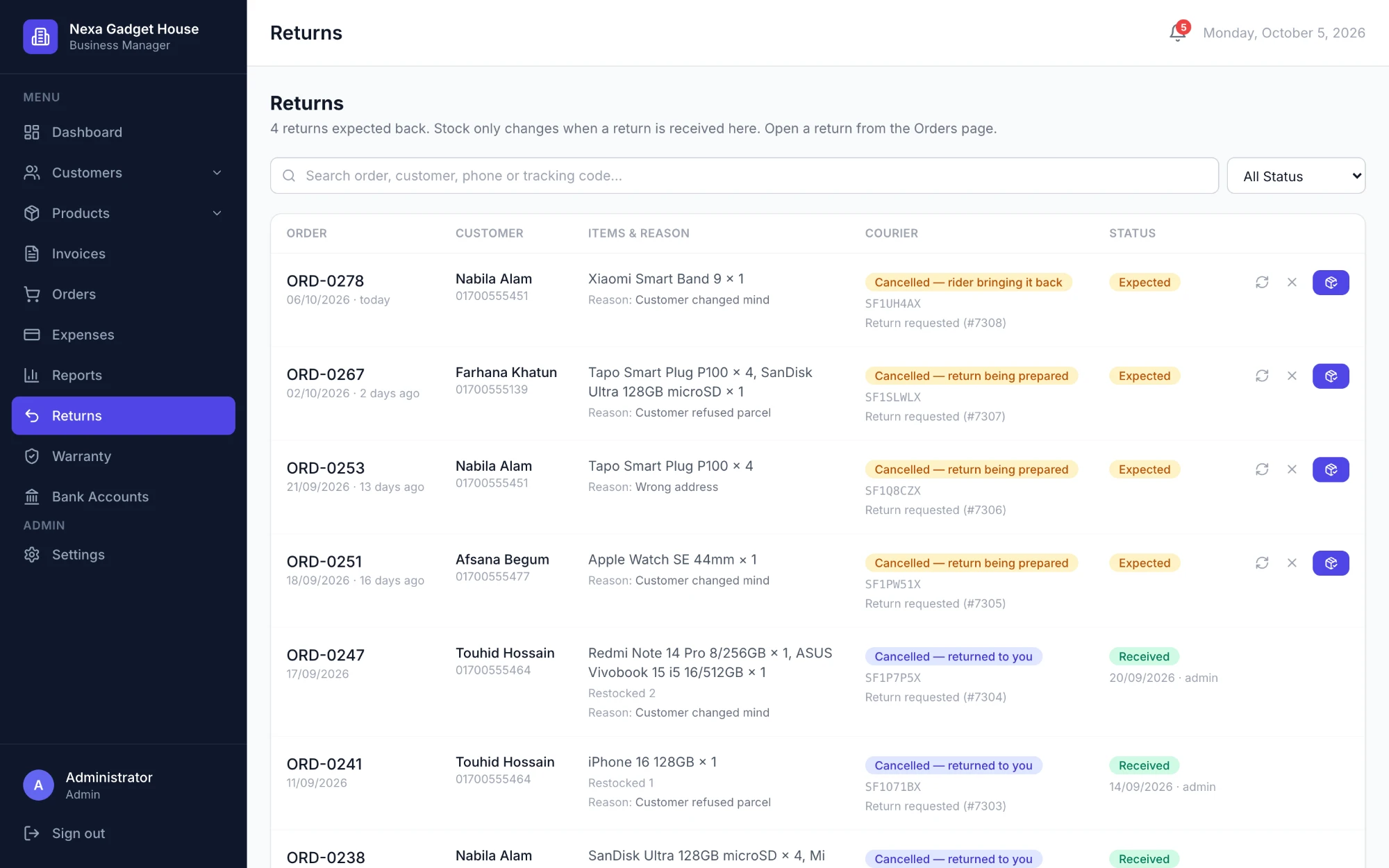
Returns
Follow every returned parcel from the courier back to your shelf. Stock only goes back up once the return is received.
Warranty
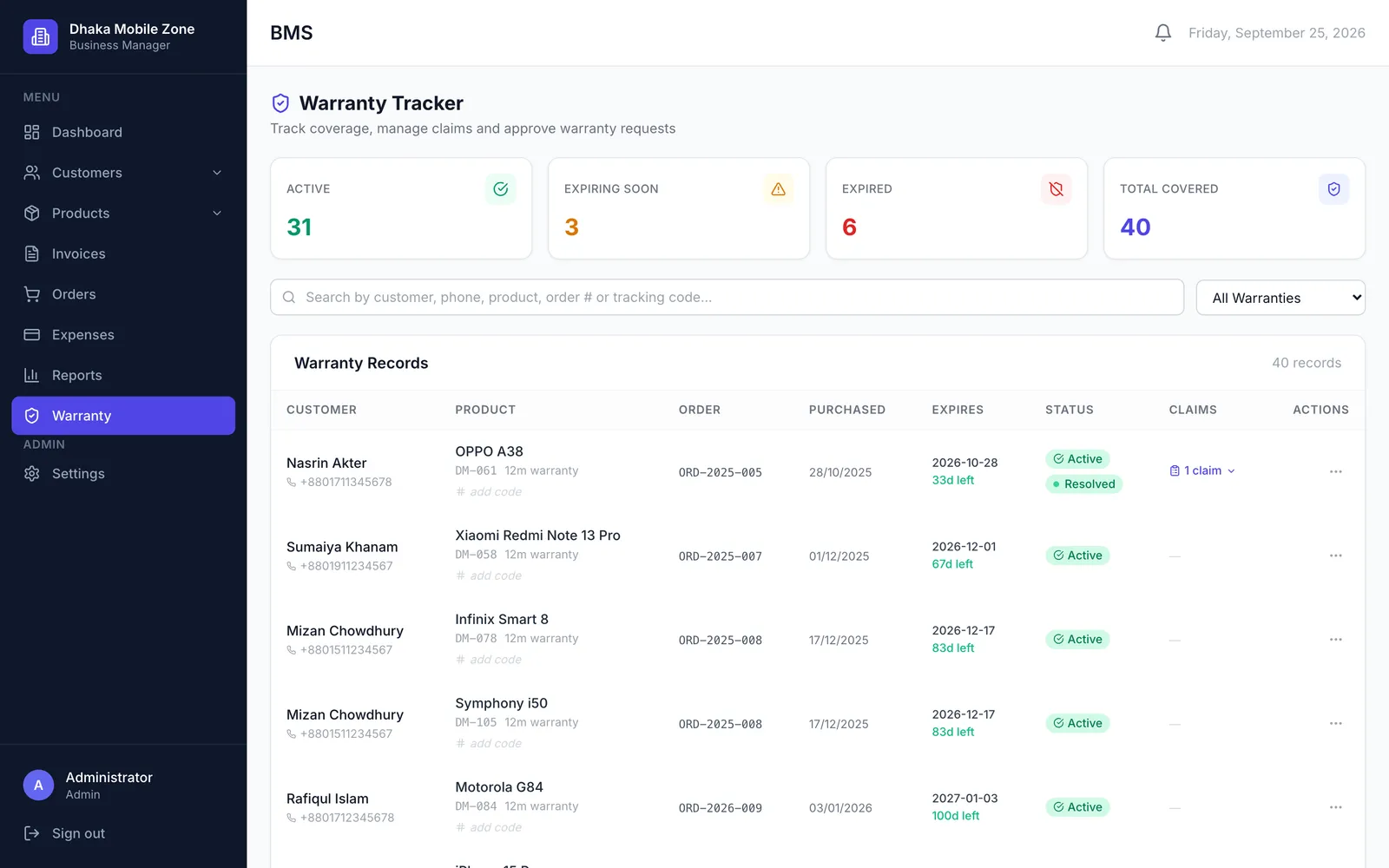
Set a warranty period per product. Expiry dates are worked out on every sale, and claims are logged against the item.
Customers
One history per customer: invoices, orders, what they paid and what they still owe, including any credit.
Payments & bank accounts
Record cash and bank payments, track balances per account and download bank statements as CSV or PDF.
Expenses & damage
Log expenses by category and write off damaged or lost stock, so profit reflects what really happened.
Reports
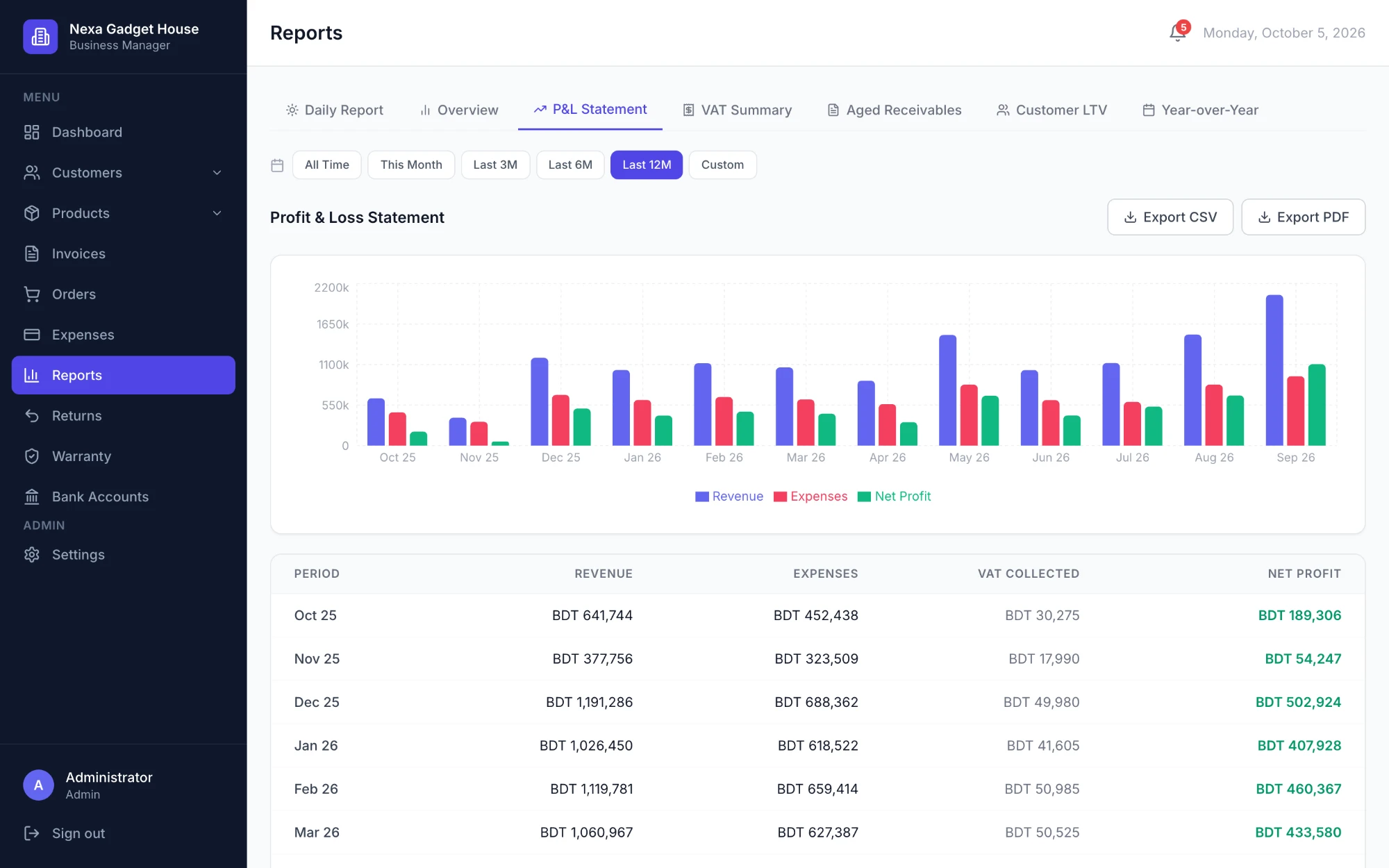
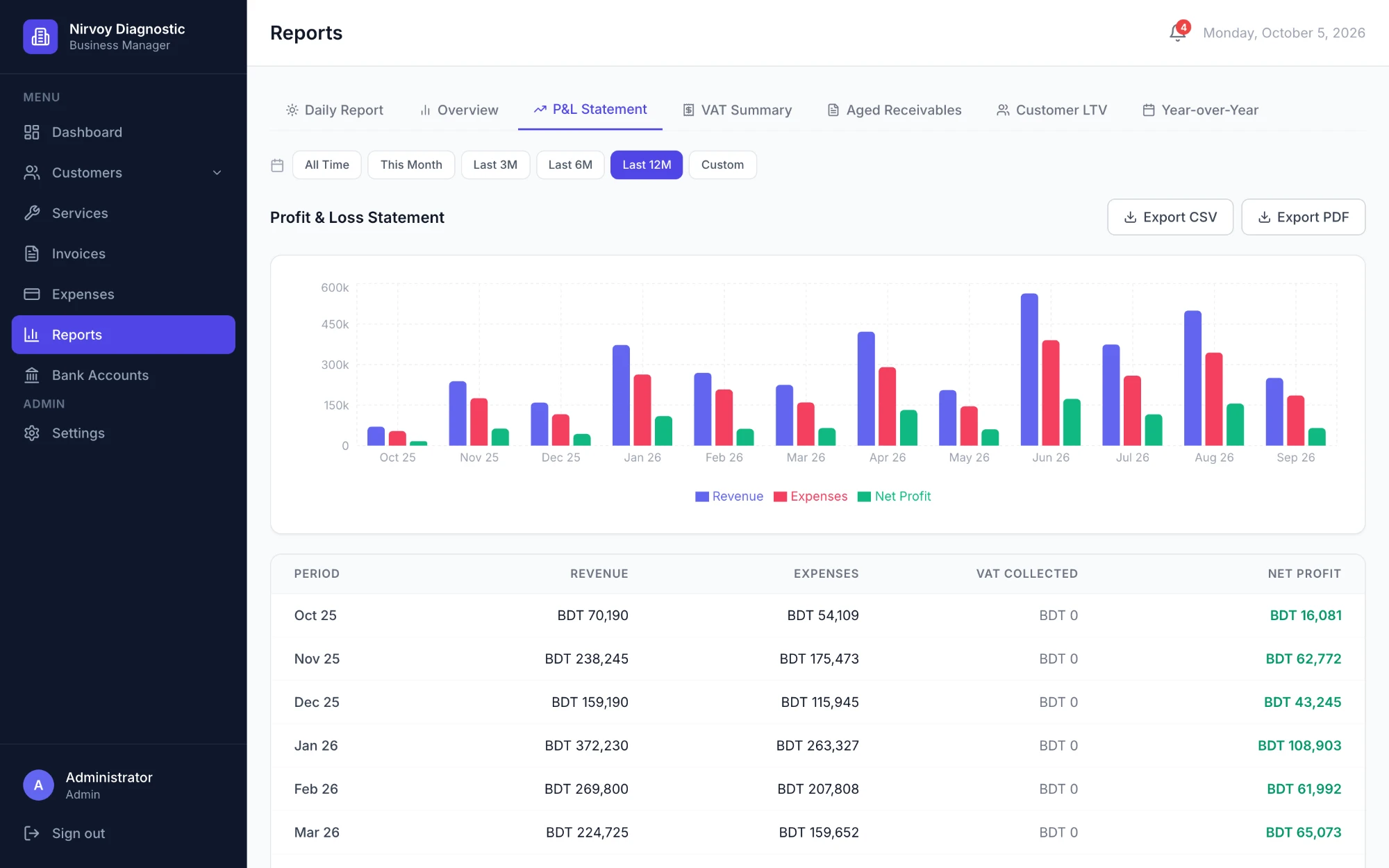
Revenue vs expenses, profit and loss, VAT or tax summary, aged receivables, customer value, year over year, top-selling products and a daily report.
See it in action.
Real screens from BMS, shown with demo data for a phone and gadget shop. Click any screen to open the gallery.
Sell services, not stock?
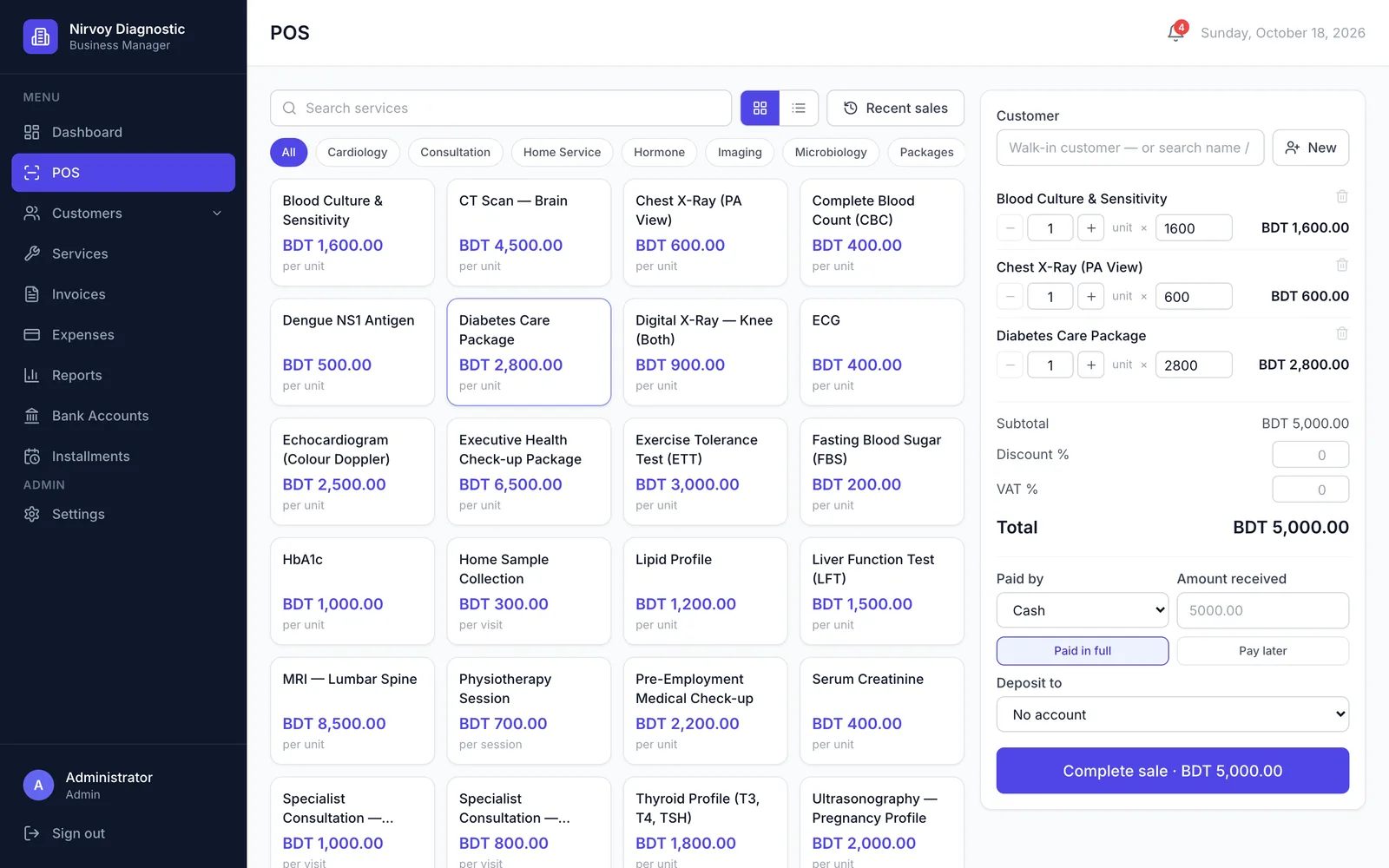
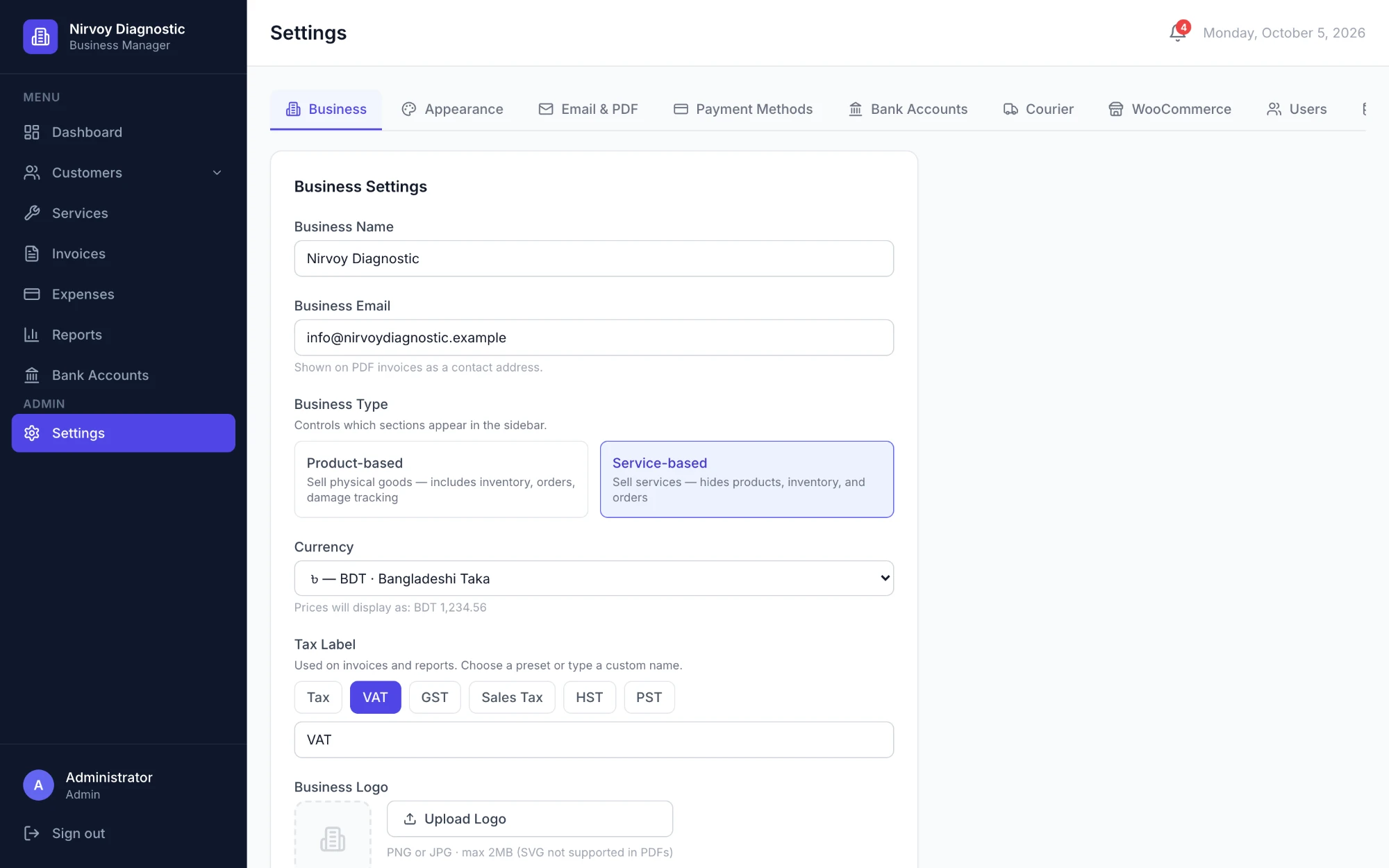
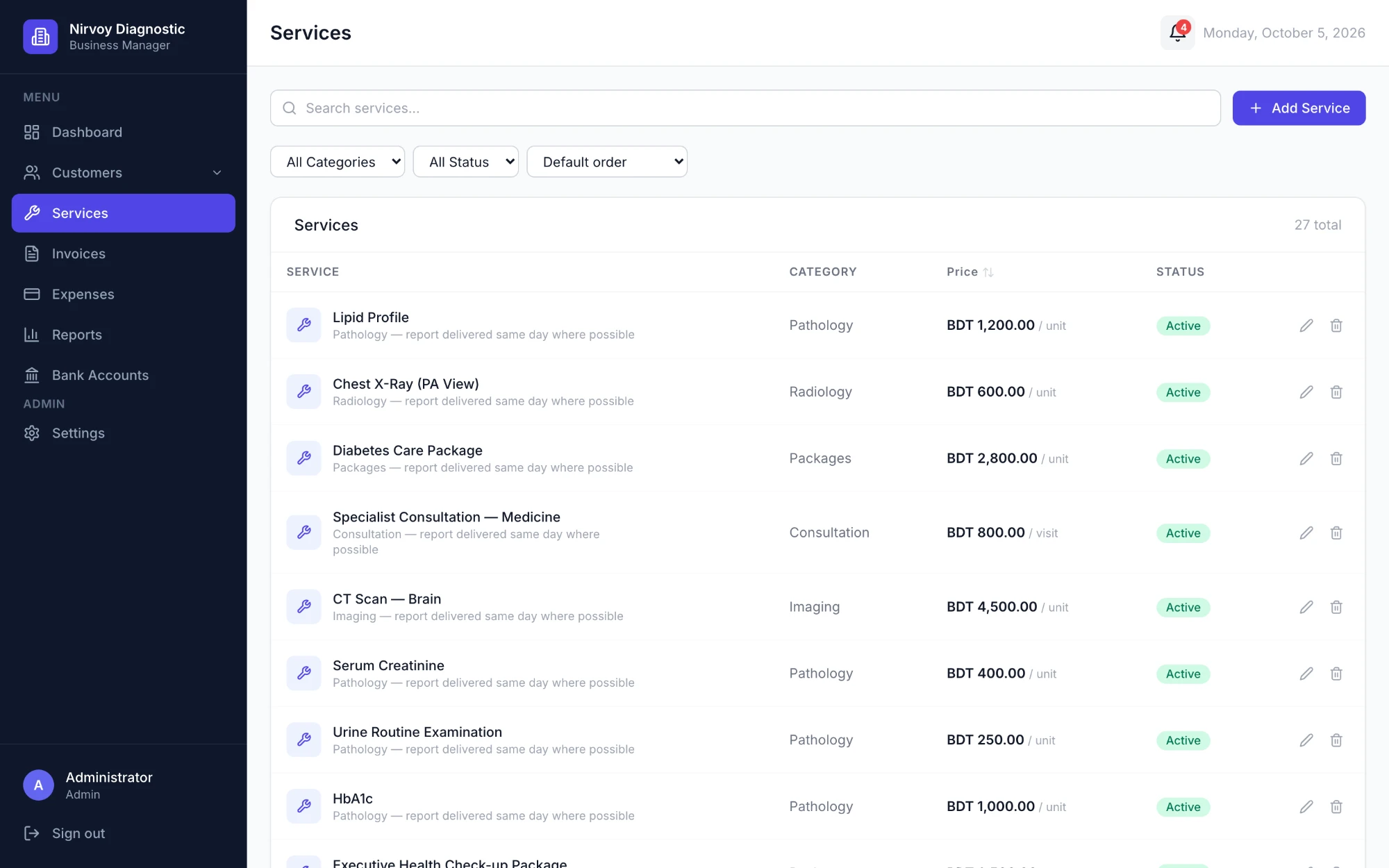
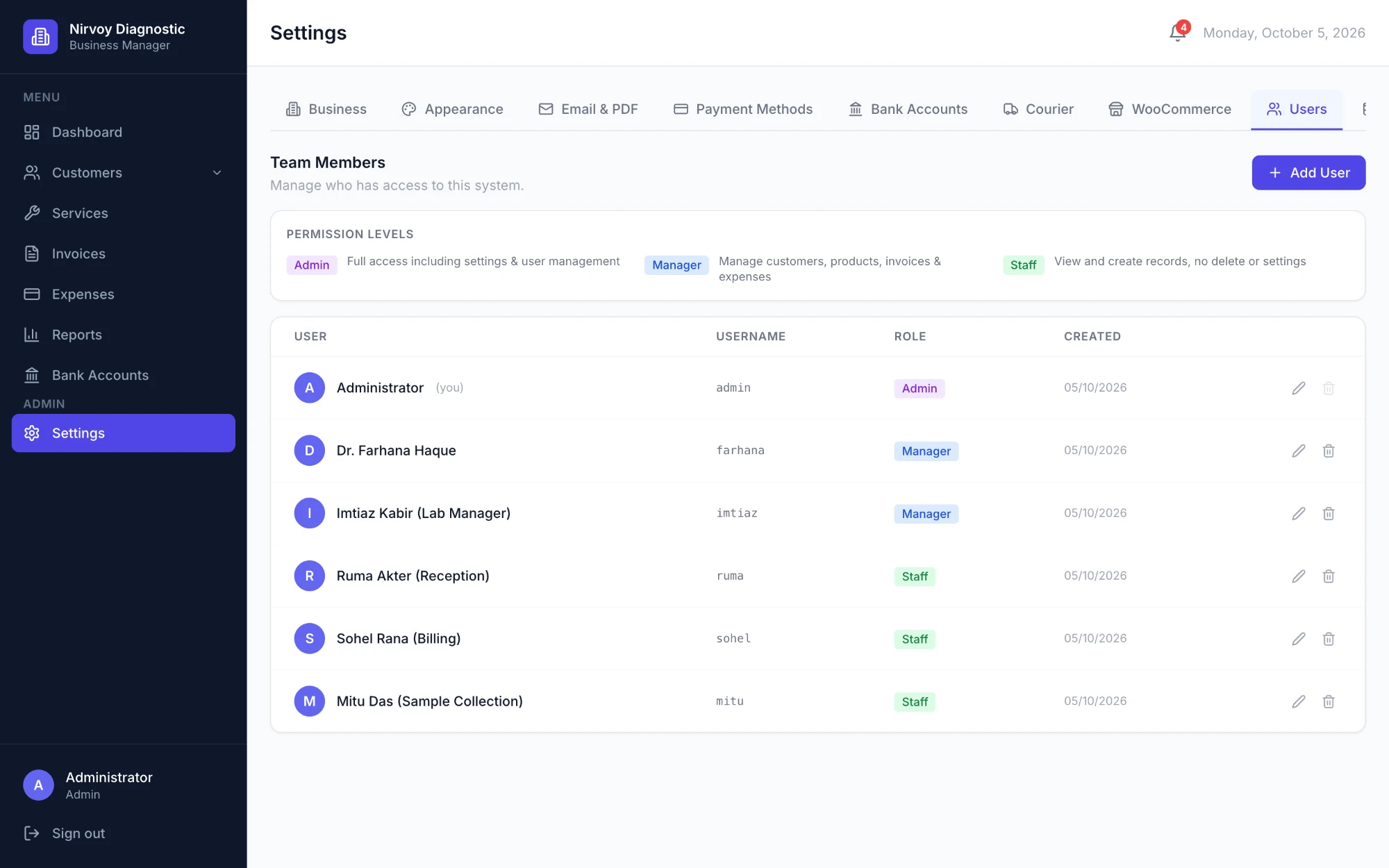
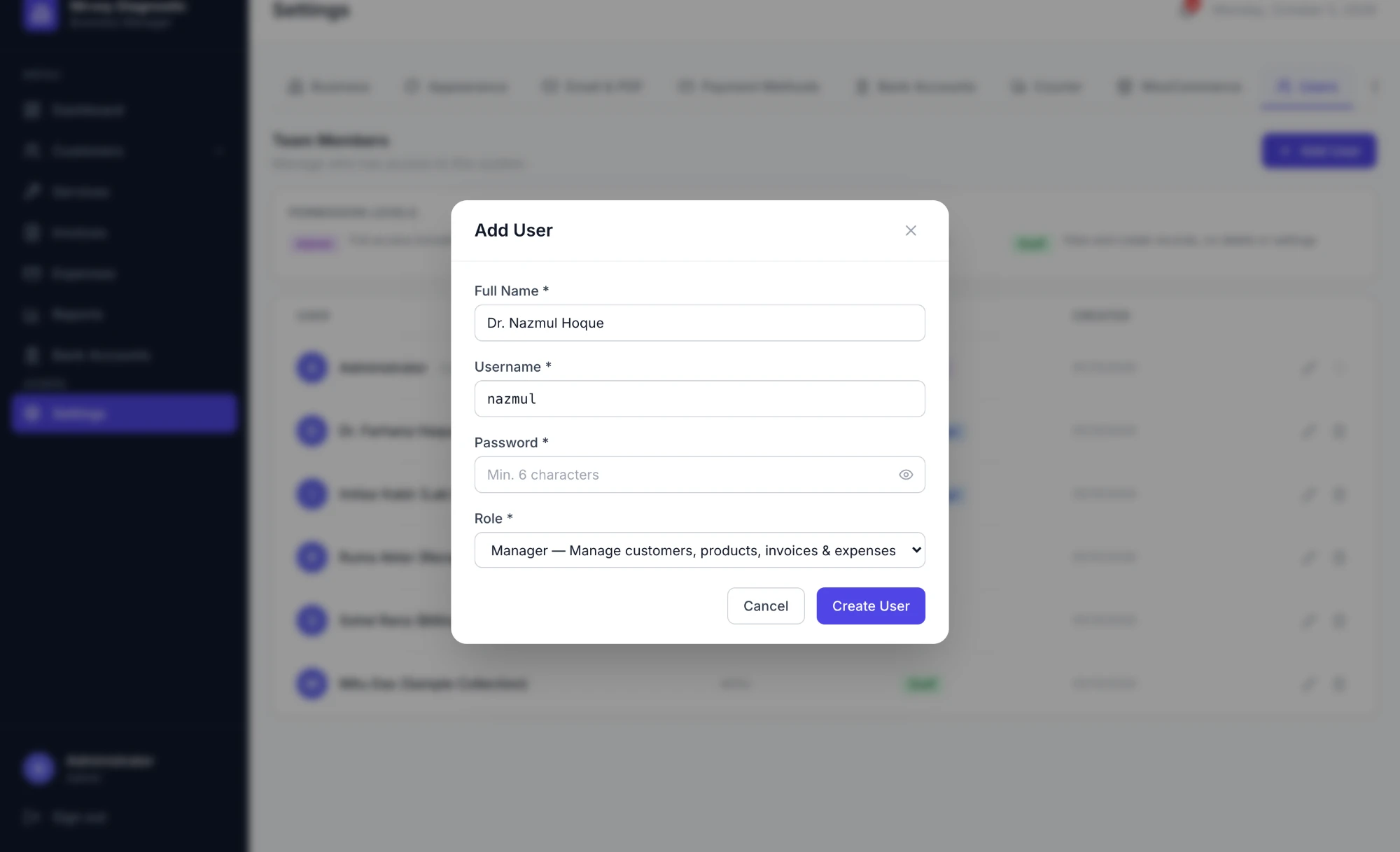
Switch to service mode in settings. Products, inventory and orders step out of the way, and you sell at the POS or invoice from your own list of services. These screens show a diagnostic centre.
Sell on installments.
Add-ons you switch on when you need them, on either plan. Turn one off and its data stays safe.
Installments (EMI)
Split an invoice into monthly, weekly or custom installments, with an optional down payment and service charge. See what is overdue, move a due date with a reason, keep call notes and send reminders.
SMS
Connect your own SMS gateway and send installment reminders to customers' phones, with a test send before you go live.
Built for businesses like yours.
- Retail shops Mobile phones, electronics and accessories, where stock, warranty and walk-in customers all need tracking.
- Distributors & wholesalers Pharmaceuticals, sanitary ware, tiles and other trade supply with large catalogues and credit customers.
- Service businesses Diagnostic centres, agencies, repair shops and consultants who sell from a service list, at the counter or by invoice.
Why businesses choose BMS.
- Your own private workspace: Each business gets a separate, isolated database. Your figures are never mixed with anyone else's.
- Nothing to install: It runs in the browser on any computer, so the office and the shop floor see the same numbers.
- English or Bangla: Choose the language of the app for your whole team in settings. Switch back at any time.
- Your printer, your paper: Print POS receipts on 80 mm or 58 mm thermal rolls, 80 × 52 mm slips, A4 or a custom size, and labels sized for your label printer.
- Your currency and tax: Set your base currency and tax label (VAT, GST or Tax). Foreign-currency payments convert at the invoice's locked rate.
- Roles for your team: Give each person the Admin, Manager or Staff role. Staff can create records but not delete them or change settings.
- Backups you control: On Premium, download a full backup of your data at any time and restore it from settings.
- Emails from your business: Send invoices, payment reminders and receipts from your own email address.
117 businesses run on BMS.
Active accounts, not sign-ups. Each dot is one business using its workspace.
117active customers
64% of active accounts are on Premium.
94.5%
Uptime
Over the last 90 days
Figures as of November 2026.
Two plans. Start small, grow into it.
Move from Basic to Premium at any time. Your data stays where it is.
| Feature | Basic | Premium |
|---|---|---|
| Products | Up to 20 | Unlimited |
| Customers | Up to 100 | Unlimited |
| Invoices | Up to 100 | Unlimited |
| Orders (including POS sales and WooCommerce orders) | Up to 100 | Unlimited |
| POS, barcode labels, courier, returns, WooCommerce and Bangla | ✓ | Included |
| Invoice emails, reminders, receipts and recurring invoices | — | Included |
| Profit & loss, tax, aged receivables, customer value, year-over-year and top-seller reports | — | Included |
| Email settings, extra users and backups | — | Included |
Both plans include the core modules above, your own private workspace and PDF invoices. Installments (EMI) and SMS are paid add-ons for either plan. Call on WhatsApp for pricing.
Getting started.
- 01
Call on WhatsApp
A short call to walk through BMS with your kind of business in mind.
- 02
We set you up
Your private workspace is created with your business name, logo, currency and tax.
- 03
Bring your data
Add products, services and customers one by one, or import them from a CSV file.
- 04
Start selling
Take orders, send invoices and see the day's numbers on the dashboard.
Questions.
What is BMS?
BMS (Business Management System) is online software for small businesses. It handles invoices, orders, stock, warranty, customers, payments, expenses and reports in one place.
Do I need to install anything?
No. BMS runs in your web browser on Windows, Mac or any other computer. Your team signs in with their own username and password.
Is my data kept separate from other businesses?
Yes. Every business has its own isolated database, and sign-ins only work for the business they belong to. On Premium you can also download a full backup whenever you like.
Does it work for service businesses?
Yes. Switch to service mode in settings and BMS invoices from your list of services, hiding stock and orders you do not need.
Can I use it as a POS at the shop counter?
Yes. The POS screen takes a sale in a few taps or barcode scans, works with a normal USB or Bluetooth barcode scanner (or a phone as the scanner) and prints receipts on thermal paper. Service businesses sell from their service list the same way.
Is BMS available in Bangla?
Yes. Choose English or Bangla in settings and the app's screens change for everyone in your business. Invoice PDFs and emails stay in English.
Can customers pay in installments?
Yes, with the Installments (EMI) add-on. You set the down payment, the number of installments and any service charge, and BMS tracks every collection and overdue payment. Add-ons are available on either plan.
Does it connect to a courier or my online shop?
Yes. You can book parcels with Steadfast Courier, check a customer's delivery record before you ship, and import orders from a WooCommerce shop. Both are on Basic and Premium and are switched on in settings.
Which currencies and taxes are supported?
You pick your base currency, such as BDT or USD, and name your tax (VAT, GST or Tax). Payments in another currency are converted at the rate locked on the invoice.
What is the difference between Basic and Premium?
Basic covers a small catalogue: up to 20 products and 100 customers, invoices and orders, with POS, courier, returns and WooCommerce included. Premium removes the limits and adds invoice emails, reminders, recurring invoices, advanced reports, extra users and backups.
How much does it cost?
Pricing depends on the plan and how long you subscribe. Call or message on WhatsApp and you will get a quote for your business.
See BMS with your own business in mind.
Call or message on WhatsApp for a free demo, and bring your questions.